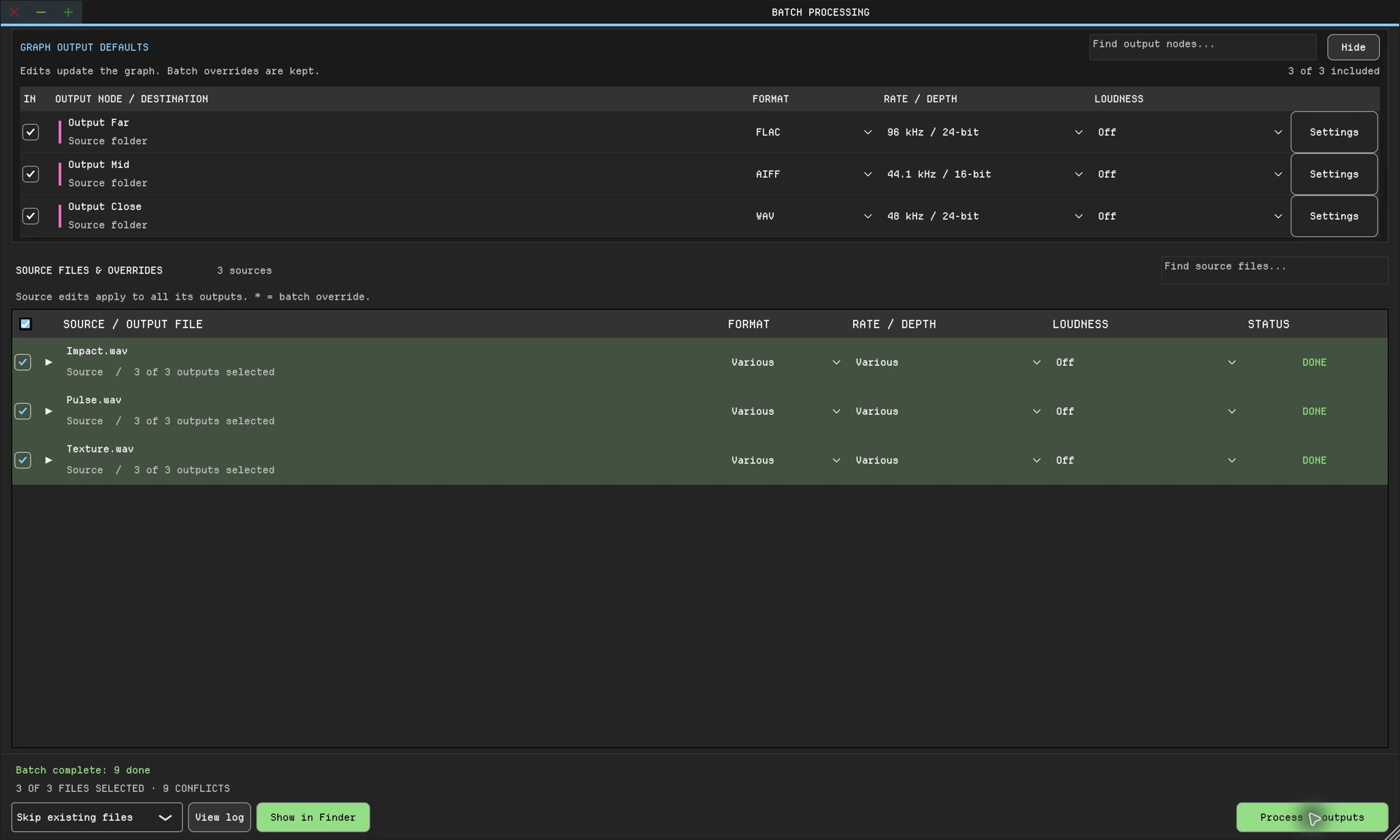
Batchy: three source sounds, one graph, three outputs. One click renders all nine files.
Sound Forge 2026 and Batchy, side by side.
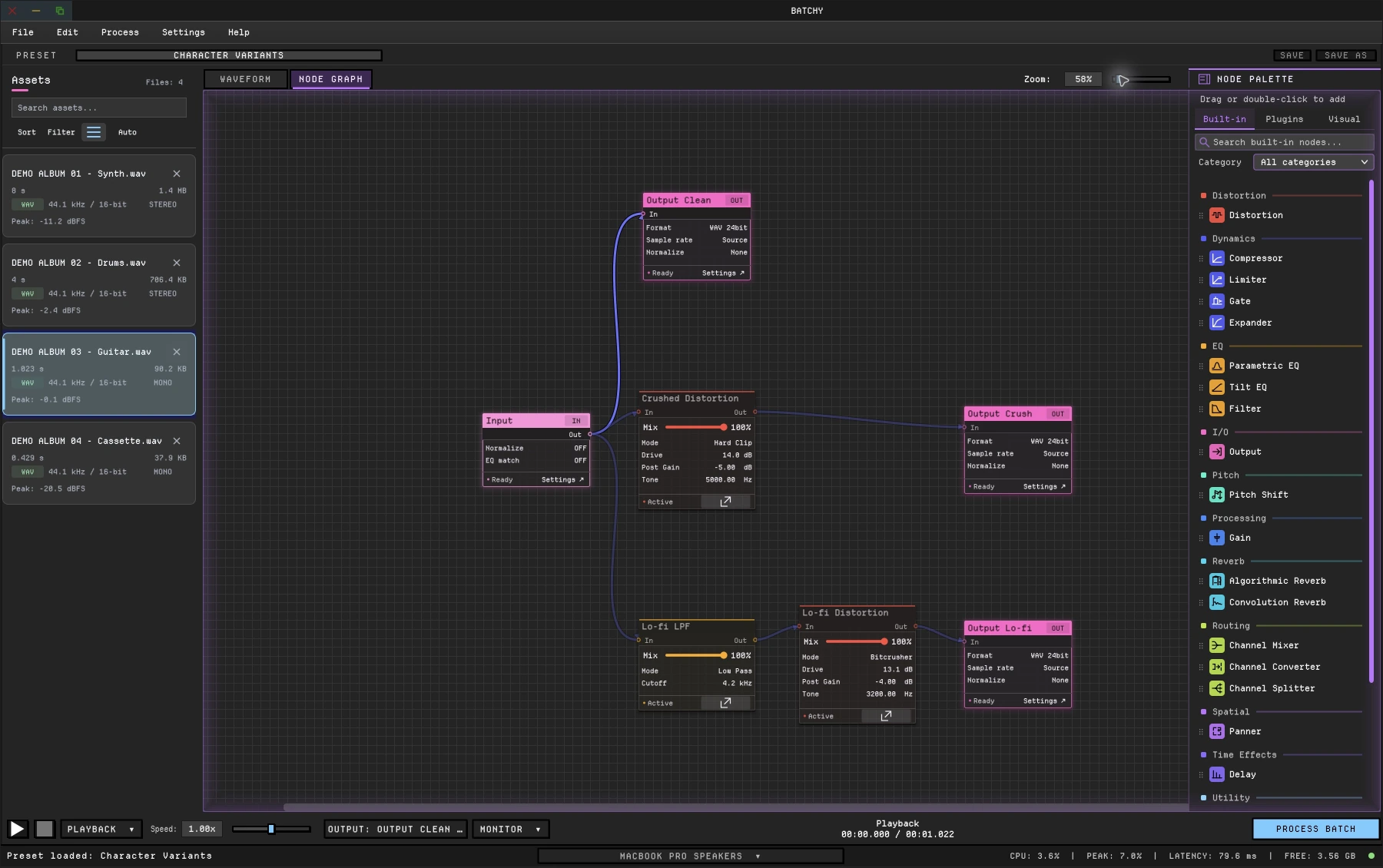
Sound Forge records, edits and repairs audio on Windows. Batchy edits in the waveform, then renders differently processed, named versions of every file in one batch job, on macOS and Windows.
Capability
Batchy
Sound Forge 2026
Waveform editing
Yes: non-destructive clip editing in the Live waveform, with undo history
Yes: sample-level editing, destructive or event-based non-destructive
Branching processing graph in a batch
Yes: branch, blend paths in a Channel Mixer, split by band or channel
No: one ordered list of effects per job
Several formats per file in one batch job
Yes
Yes
Differently processed versions per file from one batch job
Yes: every output has its own processing, loudness target, format and filename
No
Audition before rendering
Yes: switch between live and processed playback
Partial: preview in the editor
Plugins in a batch
VST3 on macOS and Windows; AU on macOS
VST2 and VST3
Loudness targets in a batch
LUFS (EBU R128), RMS or peak; −1 dBTP true-peak safety on LUFS and RMS
Normalize to LUFS with a true-peak limit in the editor; not documented as a batch step
Command line and automation
Yes: CLI with inputs, outputs, presets and JSON render reports
Yes, via scripting: -SCRIPT runs JScript, Visual Basic .NET or C# scripts
Recording
No
Yes: up to 32 channels at once, with automatic record start
Multitrack timeline
No: one file at a time
No: single-file editor; Boris FX says it “does not function as a DAW”
Platforms
macOS and Windows, on one license
Windows 11 only
Free trial
7 days; email required, no payment
Yes: 15 days, fully functional, no credit card needed
Price
One-time: $149. All 1.x updates included.
From $24.95 a month or $299.95 perpetual
As of October 2026, from each vendor’s current documentation. “—” means not documented. Prices are US list prices. Sources: Sound Forge: the Sound Forge 2026 online help and the pricing page.
Sound Forge is a trademark of Boris FX. Batchy & Friends is not affiliated with this company.
The difference
What changes when you switch.
macOS and WindowsOne Batchy license runs on both, on two machines. Sound Forge 2026 runs on Windows 11 only.
Branches, not a listSplit the chain into parallel paths, blend them in a Channel Mixer, or give each its own output.
Several versions per fileEvery output carries its own processing, loudness target, format and filename.
A preset-driven command linePoint the CLI at a folder and a saved preset, with no script to write. Dry runs and JSON render reports are built in.
Batchy also edits audio in the waveform and covers sound design, music mastering, game audio and podcasts, with 30+ audio, metering and visual graph nodes, plugin hosting, loudness delivery and the command line.
No. Sound Forge records audio, repairs clicks, clipping and hiss, and runs scripts, on Windows. Batchy edits in the Live waveform, processes in a branching graph and renders whole folders to named outputs, on macOS and Windows. Add repair plugins to Batchy’s graph when you need them.
Is Batchy a subscription?
No. Batchy is a one-time purchase with all 1.x updates included.
Can I use my existing plugins?
Compatible VST3 plugins on macOS and Windows, plus AU on macOS. Third-party plugins are separately licensed.
Is there a free trial?
Yes. Download Batchy and select Start 7-day free trial on the welcome screen or in Manage License. Email required to start; no payment required. Downloading does not start the trial. A paid license is required after seven days.
Will it run on my computer?
macOS 12+ on Intel or Apple Silicon, or Windows 10/11 (64-bit). One license covers two machines, on either platform.

 (enlarge)
 (enlarge)