Process whole SFX libraries at once. Every variation, named.
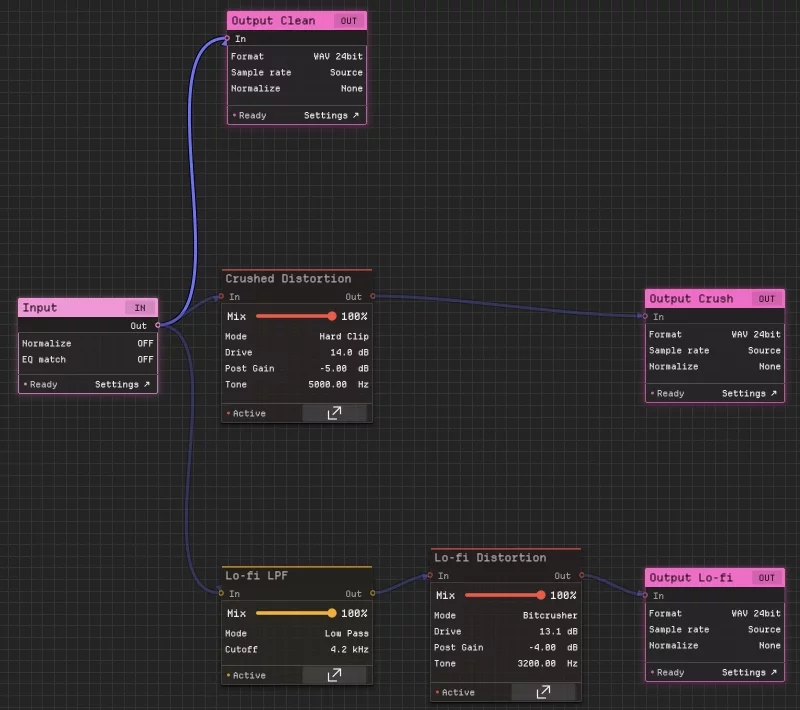
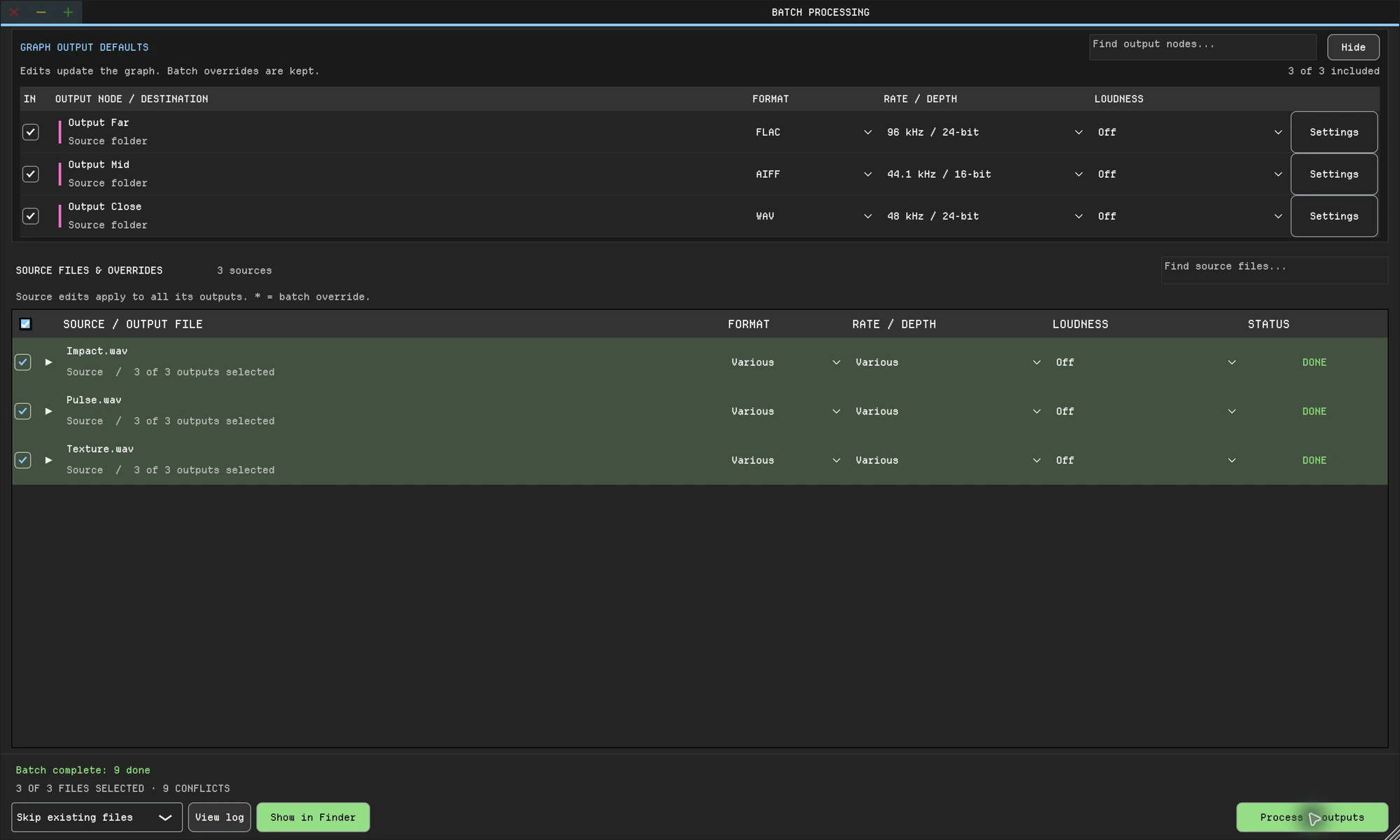
Build a branching graph from built-in DSP and your VST3 or AU plugins. Audition each branch live, then render a separately named file per branch for every sound in the folder.
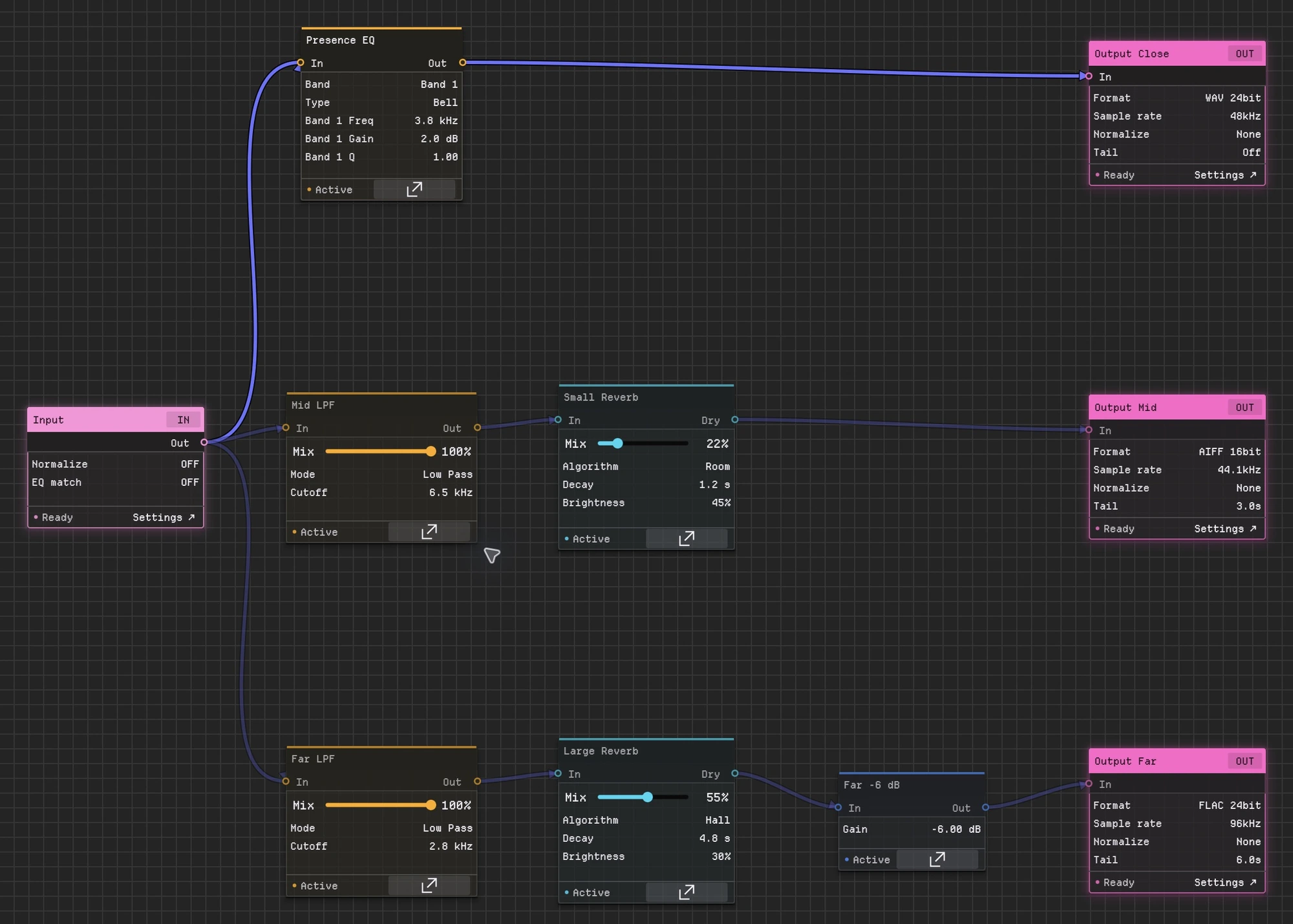
Add a branch and every file gets one more variation. Blend branches in a Channel Mixer when you want one layered sound instead. (enlarge)The same idea on a distance graph: one source branching into Close, Mid and Far outputs, each with its own format and sample rate. Enlarge screenshot
Split the source into parallel paths with Distortion, Pitch Shift, Filter, Convolution Reverb or your own plugins. Blend paths in a Channel Mixer, or end each one in its own output.
02 Audition
Hear every branch.
Play any file in the library through the graph. Switch between the live signal and the processed result before you commit.
Batchy also edits audio in the waveform and covers music mastering, game audio and podcasts, with 30+ audio, metering and visual graph nodes, plugin hosting, loudness delivery and the command line.
Can one source produce several processed versions?
Yes. Route it through separate branches, each ending in its own output with its own name, format and settings. Every file in the batch gets every version.
Do I need to write scripts?
No. The graph replaces the script. If you do automate, the same preset runs from the command line.
Can I use my existing plugins?
Compatible VST3 plugins on macOS and Windows, plus AU on macOS. Third-party plugins are separately licensed.
Is there a free trial?
Yes. Download Batchy and select Start 7-day free trial on the welcome screen or in Manage License. Email required to start; no payment required. Downloading does not start the trial. A paid license is required after seven days.
Will it run on my computer?
macOS 12+ on Intel or Apple Silicon, or Windows 10/11 (64-bit). One license covers two machines, on either platform.
 (enlarge)
 (enlarge)
 (enlarge)
 (enlarge)